

SANDOBARO PRO
SANDOBARO PRO Product Guide
SANDOBARO PRO is a soil pH testing product for agriculture and field use. Follow the instructions below for stick use, color checks, dry-soil precautions and the companion app.
 SANDOBARO ProSoil pH · Field records
See your field’s soil pH on a map
Keep your readings and locations together.
Get the app
SANDOBARO ProSoil pH · Field records
See your field’s soil pH on a map
Keep your readings and locations together.
Get the app
1. How to Use SANDOBARO PRO

1. Insert deeply
into soil
into soil
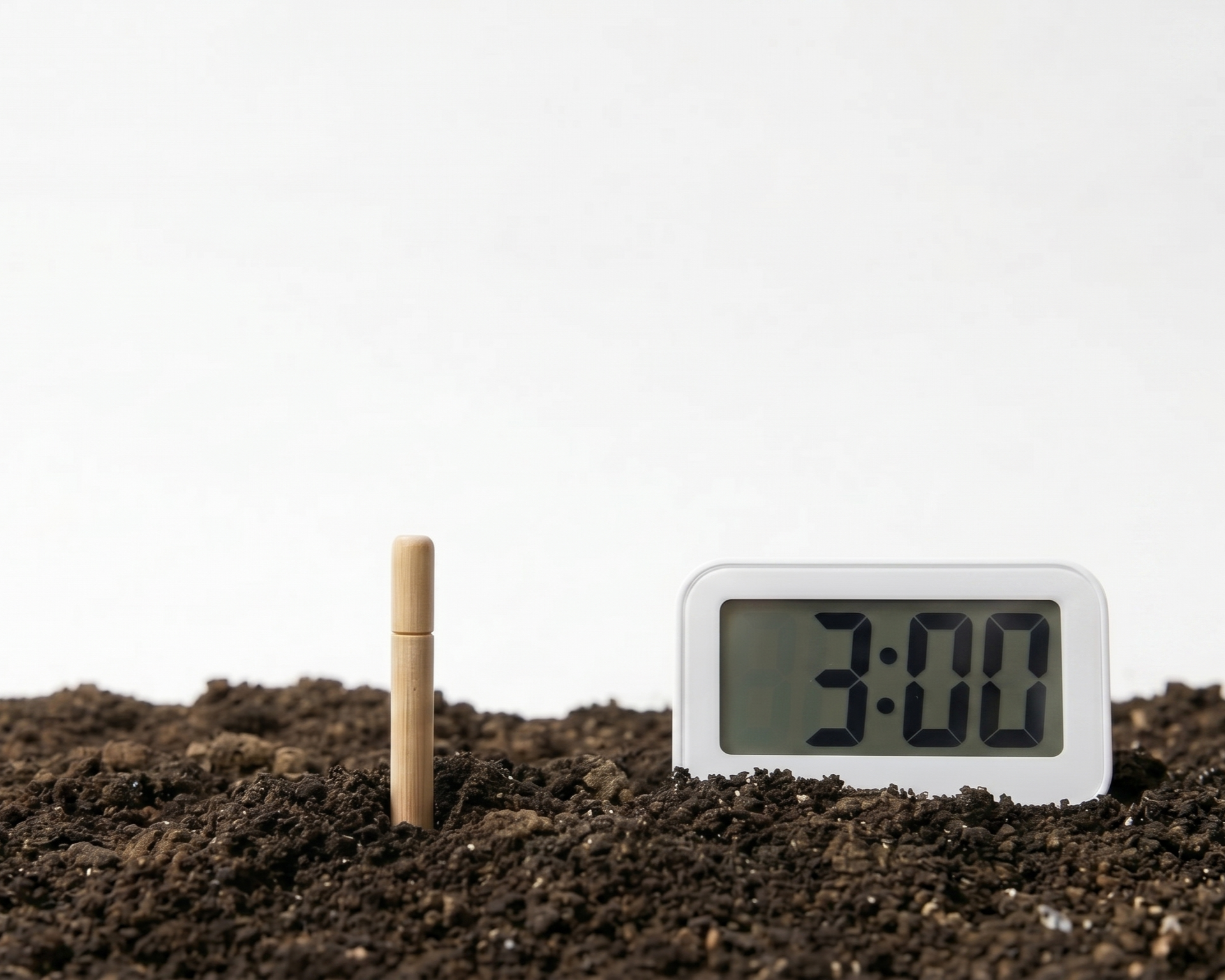
2. Wait about
3 minutes
3 minutes

3. Check color
or use the app
or use the app
Tip.
Measure at root depth to check the soil conditions around your crop’s roots.
Before You Measure
-
1.Insert deeply into the soil.※ Do not force the product into soil that is too dry and hard — it may break or give an inaccurate reading.
※ In that case, water the test area thoroughly and wait about 10 minutes until the soil softens and absorbs moisture before measuring. -
2.Leave the stick in place for about 3 minutes to check the soil pH.
-
3.Pull out the product and check the color change.(Use the app’s camera to read the color and record your results on a map.)
SANDOBARO PRO Video Guide
※ This video was generated by AI.
Wait about
3 minutes
3 minutes
No Battery
Required
Required
Simple soil
pH checks
pH checks
Learn how to use SANDOBARO PRO.
Watch the guide for the steps to follow and precautions to take when measuring.
Watch the guide for the steps to follow and precautions to take when measuring.
2. SANDOBARO PRO Color Change
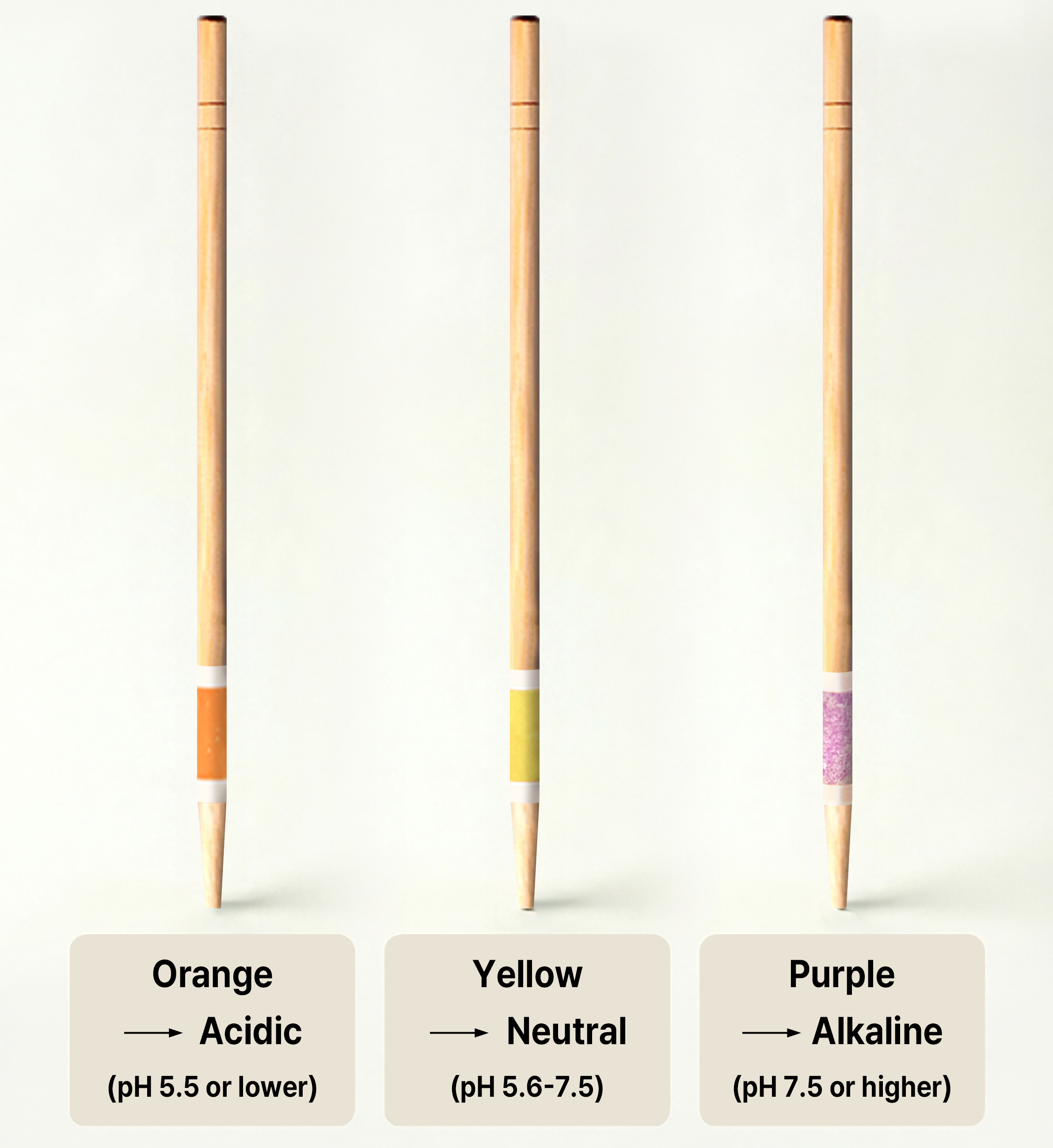
Check the soil pH using the stick’s color change.
3. Recommended pH by Crop
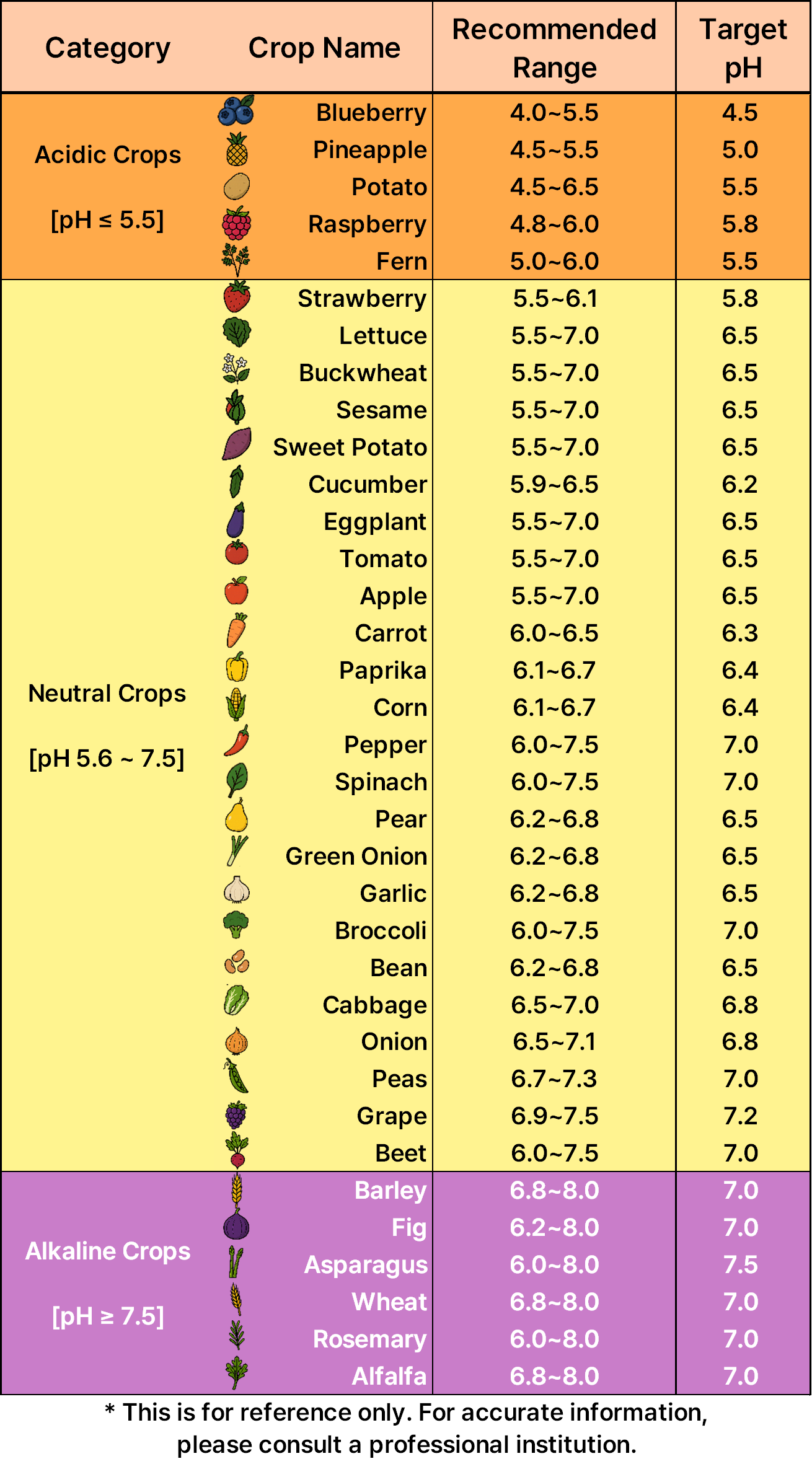
Check the recommended pH range for the crops you are growing.
Product resources and related guides
DxTerra
CEO: SeJin Kim
Address: Room 402, 14 Dunchon-daero 457beon-gil, Jungwon-gu, Seongnam-si, Gyeonggi-do, Republic of Korea
Email: info@dx-terra.com | Phone: +82-31-8023-9449
Business Registration No.: 208-35-65235 | E-commerce Registration No.: 2026-Seongnam Jungwon-0014
CEO: SeJin Kim
Address: Room 402, 14 Dunchon-daero 457beon-gil, Jungwon-gu, Seongnam-si, Gyeonggi-do, Republic of Korea
Email: info@dx-terra.com | Phone: +82-31-8023-9449
Business Registration No.: 208-35-65235 | E-commerce Registration No.: 2026-Seongnam Jungwon-0014
Copyright © 2026 DxTerra. All rights reserved.